Day 30 of 100days of code.

Working with Express JS
Environment variables
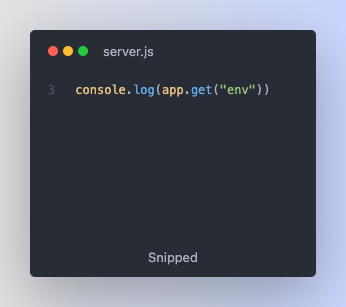
Keep in mind that nodeJS and express apps can run in different environments. The two most important environments are development and production environments. By default express sets the environment to development. To see our current working environment. on the server.js file 👇🏼
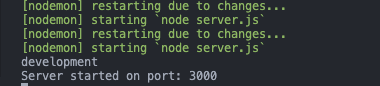
Lets see the console response. We are in the development environment👇🏼
Environment variables are global variables that are used to define the environment which the node app is running. env is an environment variable set by express JS. Node JS also have some env which can be accessed with the process keyword 👇🏼
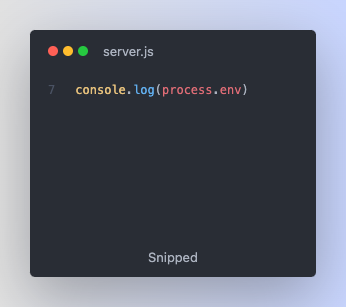
When you check the console you will see a lot of environment variables set by node JS logged in the console. process is the core module of node JS and these variables were set the moment we started the process.
When using express JS there are many packages that depends on a special variable called NODE_ENV. it is a variable that defines whether we are in the development or production mode. However, express does not really define this variables implicitly, we have to define it manually.
To set the environment variable, in the terminal run : SET NODE_ENV=development. then start the process by running npm start. It is not a good practice to create the environment variables in the terminal. The best way is to create a configuration file and define all the variables.
Environment variables configuration file
Lets a create a config.env file in the root folder. It is a convention to use .env extension for files that will store our environment variables. Lets define some environment variables inside the file. It is a convention to define the variables using uppercase. 👇🏼
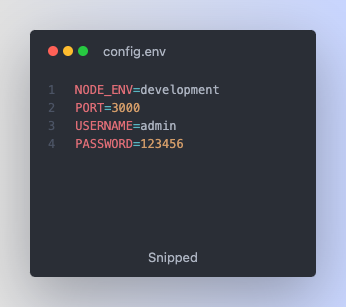
Install the dotenv extension on vscode for easy formatting and better syntax highlighting. 👇🏼
How to add Environment variables to node JS process
In other to access these variables, we need to install a package called dotenv from npm. run: npm i dotenv. After the installation we need to import the package in our server.js file using the require method(). Afterwards we need to call the config() method and inside the config() method, we pass an object and inside the object we need to specify the path and on that path property we need to assign the path of the config.env file. Always remember that we need to add this logic at the top before we require the app 👇🏼
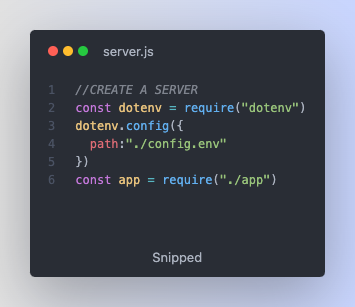
And now all the variables inside our config.env file have been saved and can be accessed by node JS. Lets restart the server to see the update in the console terminal👇🏼
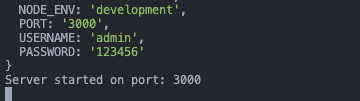
As you can see from the above screenshot, the variables defined inside the config.env file have been added to the node JS process.
How to access and use the Environment variables
To access and use the PORT variable inside the config.env file. We use the or operator || to assign a default value just in case the port is not set👇🏼
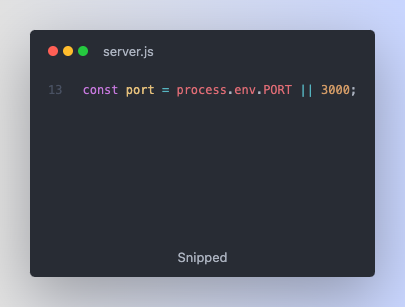
The node JS process can be accessed in any file of the application without any manual importation.
That's all for this lesson.
Next: Introduction to MongoDB
See you soon😊🫡✌🏼...


